
Research Without the Chaos.
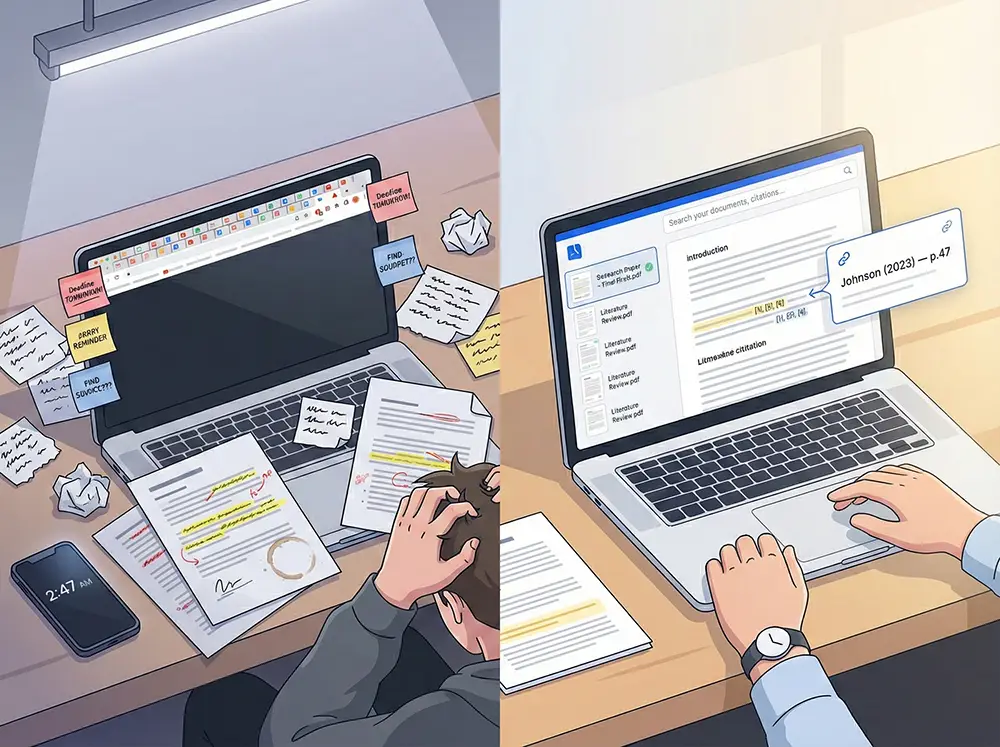
6 tools open. Tabs everywhere. Paper due tomorrow. That quote you swore you read in one of these PDFs.
You're not bad at research. The tools are. Each one does one thing. You're doing the rest.
CrucibleIQ is an Integrated Research Environment (IRE). One workspace to research, read, annotate, write, cite, and publish.
Less time on busywork. More time on your research.
Find anything across your sources
Forgot which PDF had the quote? Search across all your sources. Exact passage, exact page, in seconds.
Stop juggling tools
Word, Google Scholar, your library database, PDF reader, citation generator, notes app. 6 tools to write 1 paper. CrucibleIQ replaces them all.
Citations that build themselves
Drag an annotation into your paper and the citation appears, fully formatted. Switch styles with one click. Your reference list builds itself too.
How It Works
Five steps. From your first upload to a published paper.
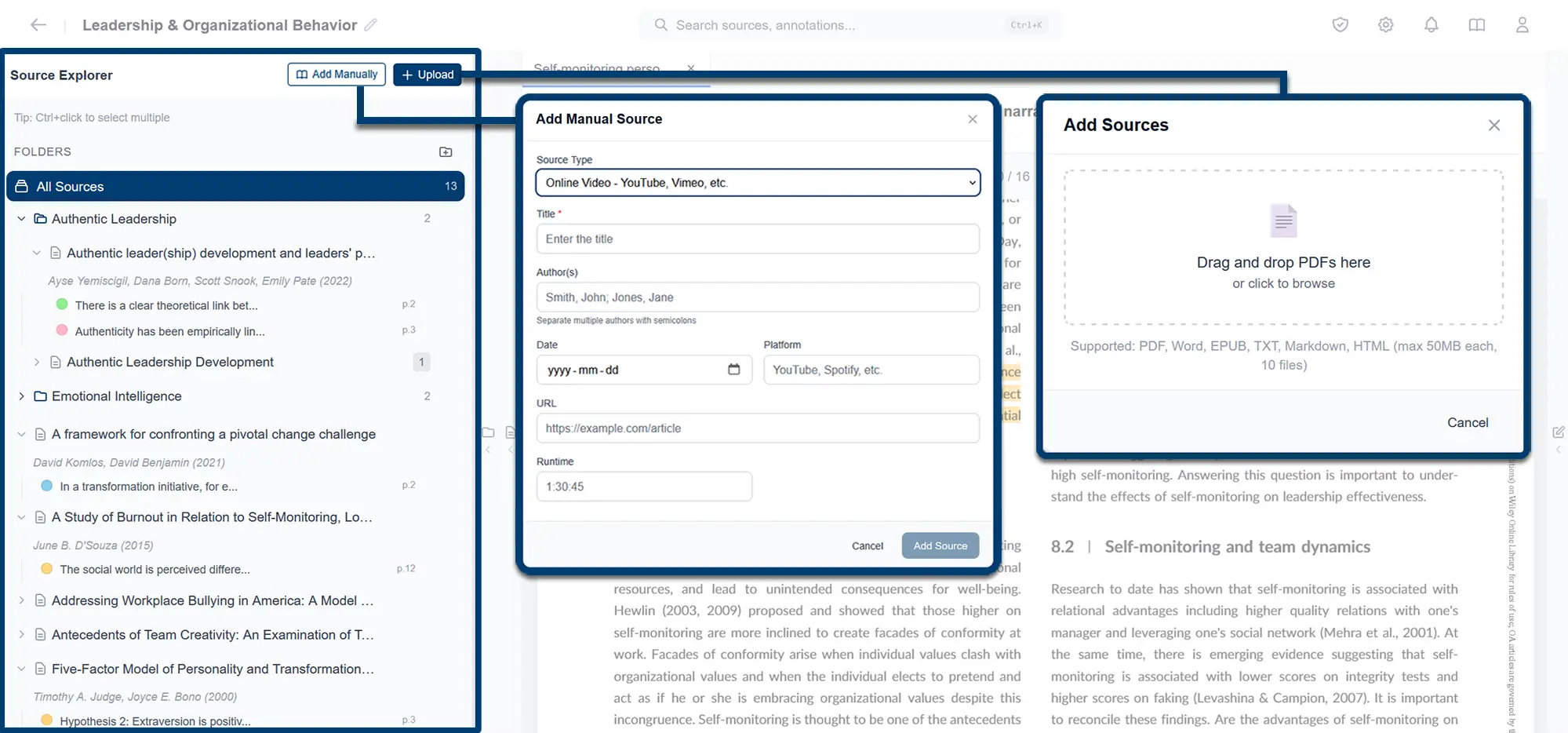
Add Your Sources
Upload a PDF and metadata like title, author, etc., fills itself in. No PDF? Add the source manually in seconds.
Read and Annotate
Read and annotate your sources. Every highlight and comment shows up in your Source Explorer, ready to use when you write.
Find Anything
That quote you half-remember from a source, or a comment you left on a paragraph? Find it in seconds, not hours, using plain language.
Write Your Paper
Never manually type a citation again. Drag a source or annotation into the Writer, choose the type, and the citation appears.
Publish Your Paper
Stop hand-typing the reference list at 2am. One click and you have a finished Word document, reference list formatted in your chosen style.
Upload a PDF and metadata like title, author, etc., fills itself in. No PDF? Add the source manually in seconds.
Sound familiar?
It's 10pm and the paper's due at midnight. You've been at it since 7am, still hunting through 30 PDFs for the one quote you remember reading somewhere, and you'll be wrestling with the reference list until 11:50 for what'll probably be another 54. Your study partner will get an 85, and they finished a week ago.
They're not smarter; they just didn't burn their day on manual research, data entry, formatting, and context switching, so they're busy studying for the end of semester exam instead. The 31 grade points between you are the cognitive cost of spending time on the wrong things.
CrucibleIQ creates an environment where critical thinking, argument development, and writing are your focus. The rest is handled.
Built for researchers at every level.
The whole paper, in one window.
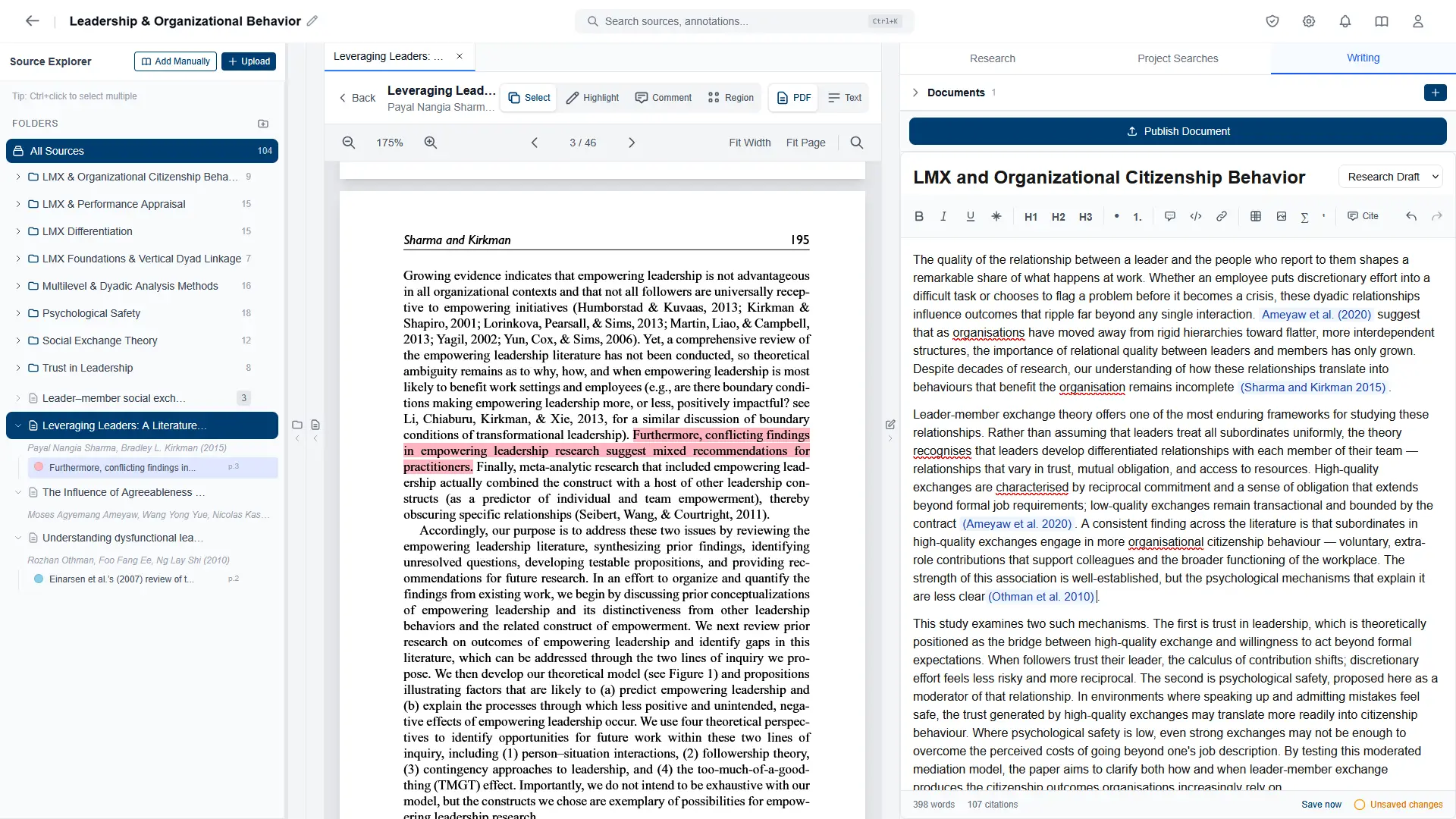
Everything you need to write your paper sits in one workspace. Research a topic, read the sources, highlight what matters, drag an annotation into your draft. Nothing to switch between, because it's all already here.
- Read a source while you write about it
- Drag an annotation straight into your draft
- Click any annotation to jump straight to the exact spot in the source
See where your argument is thin.
You've organized hundreds of sources into folders. As you read and annotate, gaps in your argument show up. Sparse folders are where to dig in.
- Folders and sub-folders, structured around your work
- Every citation traces back to the annotated passage it came from
- Search across years of reading in plain language
Citations that stand up to scrutiny.
Every citation in your work links to a source you uploaded. One check flags retractions, broken references, and other issues in seconds. You see what to fix before the work goes out.
- Validate every citation in your project with one click
- Flag retractions and citation problems before the work goes out
- Click any flagged citation to see exactly what's wrong
The whole paper, in one window.
Everything you need to write your paper sits in one workspace. Research a topic, read the sources, highlight what matters, drag an annotation into your draft. Nothing to switch between, because it's all already here.
- Read a source while you write about it
- Drag an annotation straight into your draft
- Click any annotation to jump straight to the exact spot in the source
Everything included.
Free during the beta. No tiers, no feature gating.
Features included
Free during beta. All features included.
Frequently asked questions
Ready to ditch the chaos?
Research, read, annotate, write, and cite. All in one place. Finally.
Join the Free BetaFree during beta. All features included.